

Electric computer desk converters offer the health benefits of standing work without the cost and commitment of replacing your entire desk. With prices ranging from £200 to £500+, understanding the differences between premium and budget options could save you hundreds while transforming your work experience.
Alternating between sitting and standing can increase higher levels of vigor, lower fatigue and reduce back pain by 34%. But not all electric converters deliver the same value. After testing multiple models, we’ve discovered exactly where premium features matter and where you can save your money.
Overview

“Effortlessly transition between sitting and standing with the push of a button. Experience smooth, quiet, and precise height adjustments that cater to your comfort and productivity needs.”
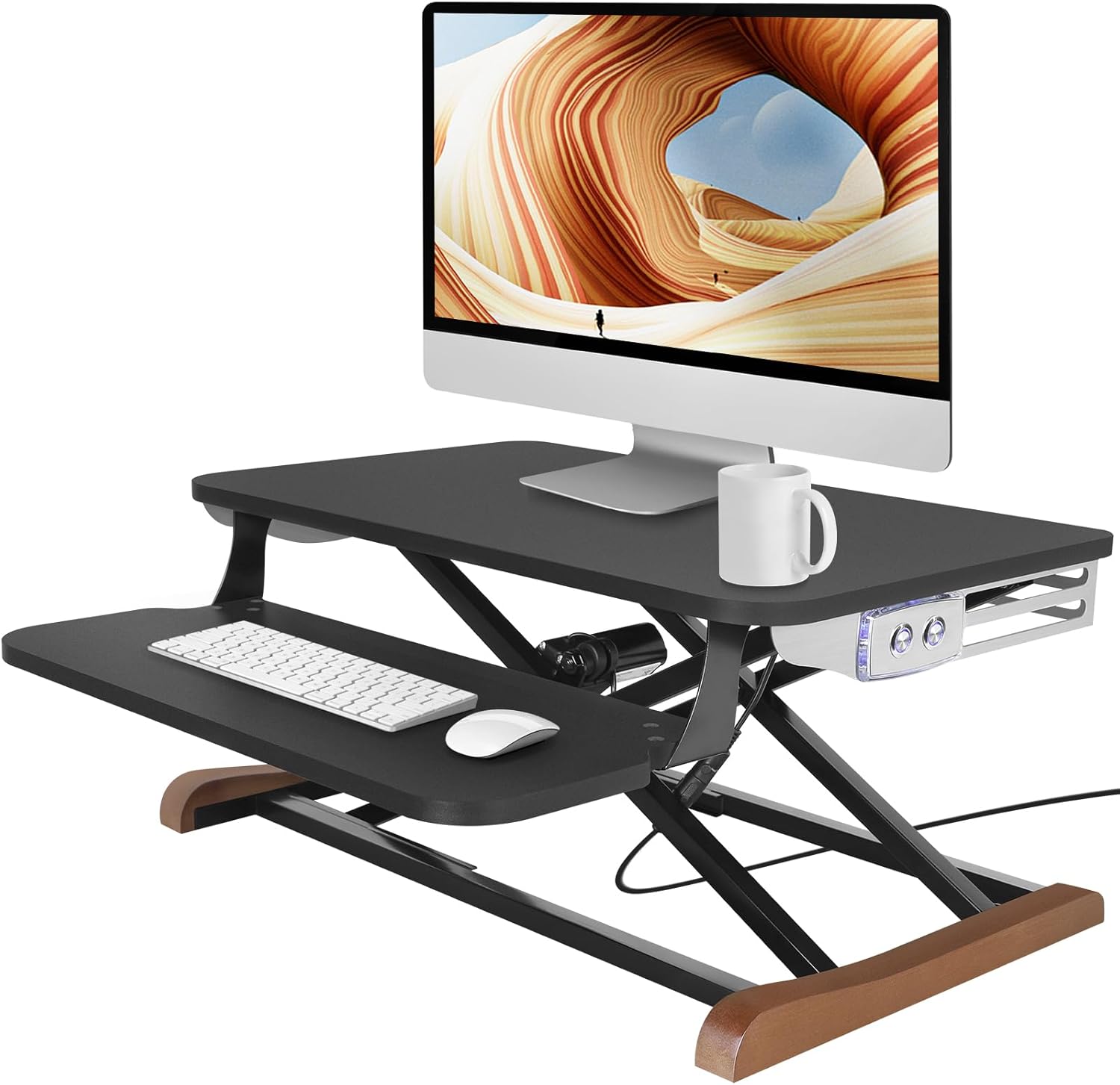
“The 25″ x 16″ tabletop, suitable for up to 27″ computer monitor/ laptop. And, the 23″x9.5″ detachable keyboard tray offers enough space for standard 18″ keyboard with a mouse.”
“Featuring a state-of-the-art digital height display, this controller allows for effortless adjustment with its three programmable height memory settings..”
Electric Computer/Laptop Desk Converters Comparison Table
Affiliate links included – we may earn commission from purchases
| Feature | VERSADESK PowerPro 36″ | Budget Electric Converter | VERSADESK PowerPro Elite |
|---|---|---|---|
| Price Range | £450-£490 | £200-£250 | £450-£500 |
| Desktop Size | 36″ Wide | 26″ x 16″ | 36″ x 24″ |
| Height Range | 5″-19″ | 4.7″-19″ | 5″-20″ |
| Weight Capacity | 80 lbs (36kg) | 55 lbs (25kg) | 80 lbs (36kg) |
| Control Method | Push Button | Push Button | App + Push Button |
| Special Features | USB Port, 3 Grommet Holes | Wooden Feet, Space-Saving | LED Lights, Programmable Memory |
| Assembly Required | 5 minutes (keyboard tray) | 10-15 minutes | 5 minutes (keyboard tray) |
| Best For | Multi-monitor setups | Single monitor, budget users | Tech enthusiasts, premium experience |
| Our Rating | ⭐⭐⭐⭐½ | ⭐⭐⭐½ | ⭐⭐⭐⭐⭐ |
Detailed Product Reviews
1. VERSADESK PowerPro™ 36” – The Professional’s Choice
The Verdict: Best balance of features and price for most users
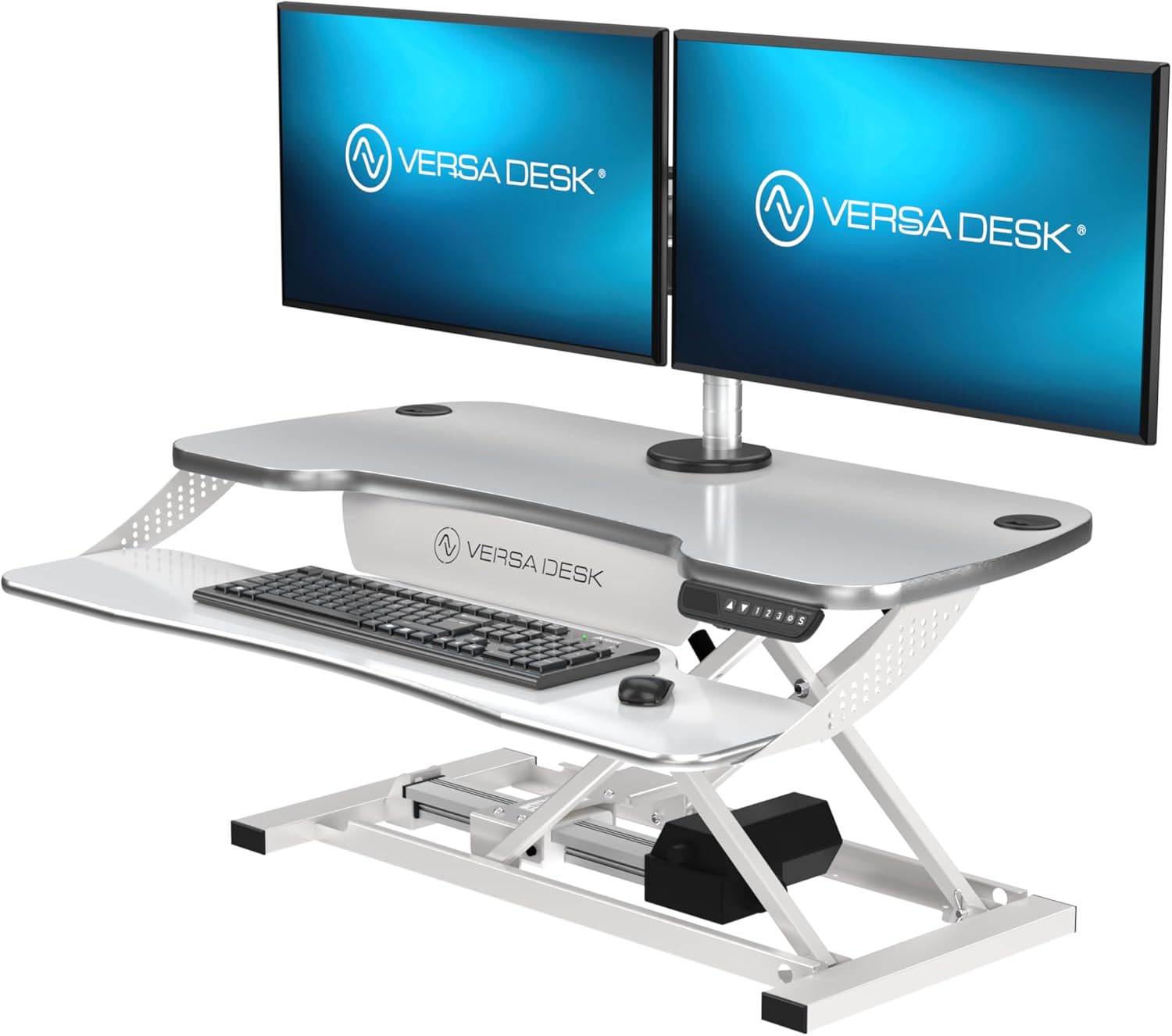
“Effortlessly transition between sitting and standing with the push of a button. Experience smooth, quiet, and precise height adjustments that cater to your comfort and productivity needs.”

Key Advantages:
- Spacious 36″ width comfortably holds dual monitors
- 80lb weight capacity supports heavy setups
- Fully assembled – ready in 5 minutes
- Professional cable management with 3 grommet holes
- USB charging port for convenient device charging
Real-World Performance:
This model is designed as a comprehensive workstation solution for multi-monitor setups. Key features include a 36-inch wide desktop to accommodate dual screens, a quiet electric lift mechanism suitable for shared or call-heavy environments, and integrated USB charging ports for peripheral power.
See Other Options


2. Budget Electric Converter – The Space-Saver
The Verdict: Excellent value for single-monitor setups
“The 25″ x 16″ tabletop, suitable for up to 27″ computer monitor/ laptop. And, the 23″x9.5″ detachable keyboard tray offers enough space for standard 18″ keyboard with a mouse.”

Key Advantages:
- Most affordable electric option
- Space-efficient design perfect for smaller desks
- Aesthetic wooden feet add visual appeal
- Surprisingly sturdy for the price point
- Easy setup with minimal assembly
Considerations:
This cost-effective Electric standing desk converters solution is designed for space-constrained areas. It features a compact base to support a single monitor up to 27 inches, with aesthetic touches like wooden feet for a warmer look. The manual lift mechanism is functional, though slower than more expensive electric models, positioning it as a value-focused entry point.
3. VERSADESK PowerPro™ Elite – The Premium Experience
The Verdict: Top-tier features for the ultimate standing desk experience
“Featuring a state-of-the-art digital height display, this controller allows for effortless adjustment with its three programmable height memory settings..”

Key Advantages:
- Smart app control for height presets
- Programmable memory for perfect positions
- Integrated LED lighting for workspace illumination
- Larger work surface (36″ x 24″)
- Premium stability even at full height
Next-Level Features:
This desk centers on advanced programmability and integrated lighting. It offers app-based control for creating and switching between multiple height presets. An added feature is the built-in LED task lighting, which provides direct illumination for the work surface as part of its smart ecosystem.
🎯 Choosing Guide: Which Electric Converter is Right for You?
By Workspace Setup:
Single Monitor + Laptop:
- Best Choice: Budget Electric Converter
- Why: Adequate space, significant cost savings
- Investment: £200-£280
Dual Monitor Setup:
- Best Choice: VERSADESK PowerPro 36″
- Why: Perfect width for two monitors, professional features
- Investment: £350-£450
Multi-Monitor + Premium Experience:
- Best Choice: VERSADESK PowerPro Elite
- Why: Largest workspace, smart features, premium build
- Investment: £450-£550
By Budget:
Under £300: Budget Electric Converter
£300-£450: VERSADESK PowerPro 36″
£450+: VERSADESK PowerPro Elite
⚙️ Technical Considerations for UK Buyers
Power & Safety
- UK Plug Compatibility: All models come with UK plugs
- Voltage: Designed for UK 220-240V systems
- Safety Certifications: Look for CE marking and electrical safety standards
Desk Compatibility
- Minimum Desk Depth: 24″ for VERSADESK models, 20″ for budget option
- Weight Distribution: Ensure your desk can support the converter + equipment weight
- Stability Testing: Always test at full height before committing
Warranty & Support
- VERSADESK: 5-year warranty with UK customer support
- Budget Brands: Typically 1-2 year warranty
- Return Policies: Check seller terms before purchasing
💡 Pro Tips for Maximum Value
Setup Optimization:
- Positioning: Place converter against wall for increased stability
- Cable Management: Use adhesive clips to route cables neatly
- Monitor Arms: Consider adding monitor arms for even more desk space
Usage Patterns:
- Start Slow: Begin with 30-minute standing sessions
- Shoe Choice: Wear supportive shoes when standing for long periods
- Anti-Fatigue Mat: Invest in a quality mat for comfort
❓ FAQ: Electric Standing Desk Converters
Q: Are electric converters better than manual ones?
A: Yes, for frequent position changes. Electric converters offer effortless adjustment, while manual models require physical effort.
Q: Can these converters damage my desk?
A: Unlikely when used properly. Ensure your desk can support the weight and use protective pads if concerned about scratches.
Q: How much electricity do they use?
A: Minimal – similar to charging a smartphone. Costs are negligible.
Q: Are VERSADESK products worth the premium price?
A: For multi-monitor setups or daily heavy use, absolutely. The build quality and features justify the cost for professional users.
Q: Can I use a converter with a glass desk?
A: Not recommended. The concentrated weight and pressure could crack glass surfaces.
Q: What’s the main advantage of app control?
A: Precision and convenience. Save your perfect heights and switch between them instantly.
📈 Investment Analysis: Premium vs Budget
Where Premium Models Earn Their Keep:
- Daily heavy use – better motors last longer
- Multi-monitor setups – require superior stability
- Professional environments – premium appearance matters
- Long-term value – better warranties and durability
Where Budget Models Make Sense:
- Occasional use – few standing sessions per week
- Single monitor setups – less demanding on stability
- Temporary solutions – short-term workspace needs
- Tight budgets – still get electric convenience
🎉 Final Recommendations
Best Overall Value: VERSADESK PowerPro 36“
- Perfect balance of price and features
- Suitable for most home office and professional setups
- Quality construction that will last for years
Best Budget Option: Electric Converter with Keyboard Tray
- Surprising quality for the price
- Ideal for single-monitor users and smaller spaces
- Great introduction to standing work
Best Premium Experience: VERSADESK PowerPro Elite
- Cutting-edge features justify the price
- Perfect for tech enthusiasts and power users
- Investment in long-term workspace health
Ready to transform your workspace? Click any product link to check current UK prices and availability.
Next Steps:
- [Compare Full Electric Standing Desks]
- [Discover Ergonomic Office Chair Pairings]
- [Explore Cable Management Solutions]

